Item-Level Permissions in RAG: Why Your Vector Database Needs Access Control

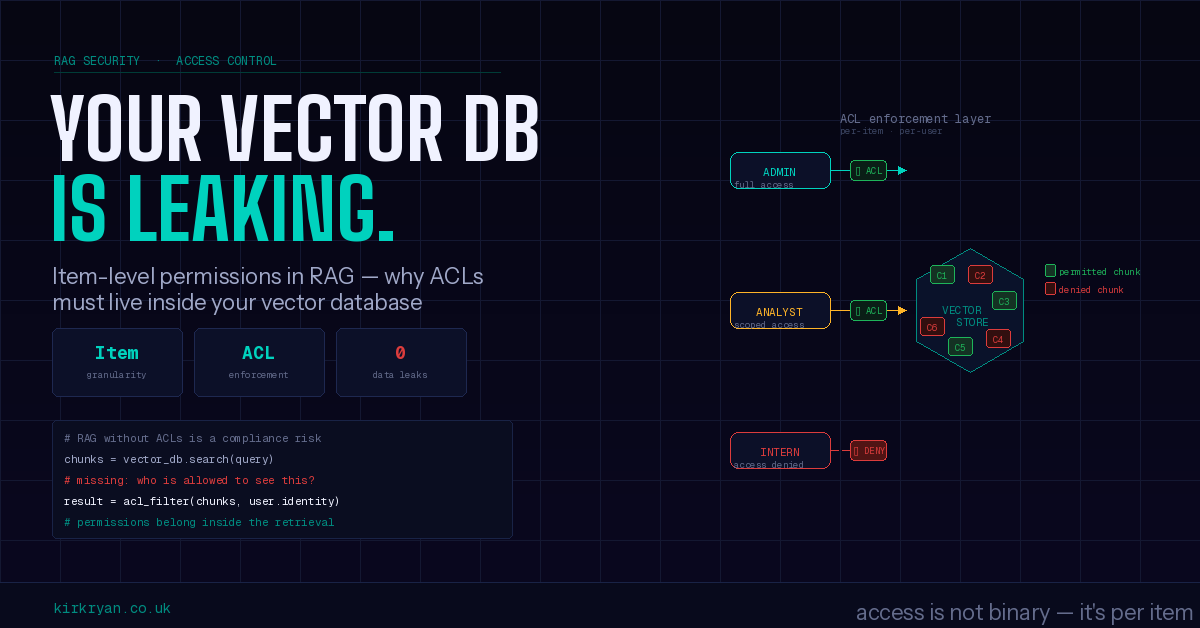
Adding NTFS ACL enforcement to a Milvus RAG pipeline -- because retrieval quality means nothing if the wrong people see the results.
In our previous article, we evaluated three embedding providers on a 72-document news corpus and found that model choice meaningfully affects retrieval quality. We spent time worrying about false positives, semantic calibration, and keyword sensitivity. All important concerns – but they share an implicit assumption that we never questioned:
Every user who queries the system is allowed to see every document in it.
For a personal project or a research prototype, that assumption is fine. For an enterprise deployment, it is a non-starter.
This article covers the second stage of our RAG pipeline: adding item-level permission enforcement so that vector search results respect the same access controls that govern the original files. We will walk through why this matters, how we implemented it, the trade-offs involved, and the alternative approaches we considered.
The Problem: Embeddings Do Not Inherit Permissions
Consider a typical enterprise file share. The Finance team has a folder of quarterly reports that only DOMAIN\Finance members can read. HR has employee records restricted to DOMAIN\HR. Legal has privileged documents locked to outside counsel and the General Counsel's office.
Now imagine you chunk, embed, and store all of these documents in a vector database. A user queries "Q4 revenue projections" and the system dutifully returns the most semantically similar chunks – which happen to come from a confidential board deck that the user was never supposed to see.
The embedding model does not know about permissions. Milvus does not know about permissions. The RAG pipeline treats every chunk as equally retrievable. You have built a search engine that bypasses every access control your organisation spent years configuring.
This is not a hypothetical risk. It is the primary reason many enterprises stall on RAG deployments, and it is why item-level permission enforcement is table stakes for any production system that ingests documents from access-controlled sources.
How Windows NTFS ACLs Work
Before diving into the implementation, it helps to understand what we are working with. Every file on an NTFS volume has a Discretionary Access Control List (DACL) – an ordered list of Access Control Entries (ACEs) that specify who can do what.
Each ACE has three components:
| Component | Example | Description |
|---|---|---|
| SID | DOMAIN\Finance |
The security principal (user or group) |
| Type | Allow or Deny |
Whether this entry grants or revokes access |
| Rights | Read, Modify, FullControl |
What operations are permitted |
Windows evaluates ACEs in a specific order: explicit deny, then explicit allow, then inherited deny, then inherited allow. If no ACE grants access, the default is deny. The critical rule: a Deny entry always wins over an Allow entry for the same principal.
For RAG retrieval, we only care about one question: can this user read this file? We do not need to model Write, Execute, or any other permission – just Read access.
Our Approach: ACL-Aware Pre-Filtering in Milvus
The design has three parts: capture permissions at ingest time, store them alongside embeddings, and enforce them as a pre-filter at query time.
1. Capturing Permissions at Upload
When a document is uploaded to our API, the caller can provide a source_path parameter pointing to the original file on a Windows volume:
curl -F "file=@/mnt/d/reports/q4.pdf" \
  "http://localhost:8000/documents/upload?source_path=D:\reports\q4.pdf"
Since our API server runs on WSL2, it has direct access to Windows paths via /mnt/. We call icacls.exe through WSL2 interop to read the file's DACL:
D:\reports\q4.pdf BUILTIN\Administrators:(I)(F)
                  NT AUTHORITY\SYSTEM:(I)(F)
                  DOMAIN\Finance:(I)(RX)
                  DOMAIN\Kirk:(I)(M)
                  DOMAIN\Contractors:(DENY)(R)
Our parser extracts two lists from this output:
- allowed_sids: principals with any Read-implying permission (F, M, RX, R)
- denied_sids: principals with explicit Deny entries for Read
For the example above, that produces:
allowed_sids = ["builtin\\administrators", "nt authority\\system",
                "domain\\finance", "domain\\kirk"]
denied_sids  = ["domain\\contractors"]
All SIDs are normalised to lowercase for consistent matching. When no source path is provided, documents default to allowed_sids=["everyone"] with an empty deny list – preserving the open-access behaviour of the original system.
2. Storing Permissions in Milvus
The Milvus collection schema gains two new ARRAY fields:
FieldSchema(name="allowed_sids", dtype=DataType.ARRAY,
            element_type=DataType.VARCHAR, max_length=256, max_capacity=200),
FieldSchema(name="denied_sids", dtype=DataType.ARRAY,
            element_type=DataType.VARCHAR, max_length=256, max_capacity=50),
Every chunk from the same document shares identical ACL arrays. This matches NTFS semantics – permissions are set on files, not on paragraphs within files. The ACL data is inserted alongside the embedding, text, and metadata for each chunk.
3. Enforcing Permissions at Query Time
When a user searches, the API resolves their identity and builds a Milvus filter expression that implements deny-before-allow logic:
def _escape_for_milvus(s: str) -> str:
    """Escape backslashes and double quotes for Milvus string literals."""
    return s.replace("\\", "\\\\").replace('"', '\\"')

def build_acl_filter(user_sid: str, user_groups: list[str]) -> str:
    all_sids = [user_sid] + user_groups
    escaped = [_escape_for_milvus(sid) for sid in all_sids]

    # None of the user's identities appear in denied_sids
    deny_clauses = [f'not array_contains(denied_sids, "{sid}")' for sid in escaped]
    deny_expr = " and ".join(deny_clauses)

    # At least one identity (or "everyone") appears in allowed_sids
    allow_clauses = [f'array_contains(allowed_sids, "{sid}")' for sid in escaped + ["everyone"]]
    allow_expr = " or ".join(allow_clauses)

    return f"({deny_expr}) and ({allow_expr})"
The _escape_for_milvus call is not cosmetic – it is the fix for a real bug we discovered during end-to-end testing. Milvus's expression parser treats the backslash as an escape character, so a SID like domain\kirk causes a parse error because \k is not a valid escape sequence. Doubling the backslashes in the expression (domain\\kirk) produces a literal backslash that matches the stored value. We cover how we found this in the testing section below.
For a user domain\kirk who belongs to domain\finance and builtin\users, the function generates:
(not array_contains(denied_sids, "domain\\kirk")
 and not array_contains(denied_sids, "domain\\finance")
 and not array_contains(denied_sids, "builtin\\users"))
and
(array_contains(allowed_sids, "domain\\kirk")
 or array_contains(allowed_sids, "domain\\finance")
 or array_contains(allowed_sids, "builtin\\users")
 or array_contains(allowed_sids, "everyone"))
This expression is passed as a pre-filter to collection.search(). Milvus evaluates it before similarity ranking, meaning unauthorised chunks are excluded from the candidate set entirely – they never appear in results, regardless of how semantically similar they are to the query.
Identity Resolution: Three Mechanisms
A permission system is only as useful as its ability to identify who is asking. We support three mechanisms, evaluated in priority order:
OAuth2/OIDC Bearer Token
For enterprise deployments with an identity provider (Microsoft Entra ID, Okta, Keycloak), the API accepts standard JWT bearer tokens:
curl -X POST http://localhost:8000/search \
  -H "Authorization: Bearer eyJhbGciOiJSUzI1NiIs..." \
  -d '{"query": "Q4 revenue", "top_k": 5}'
The API extracts the user's SID and group memberships from configurable JWT claims (sub/oid for the user, groups for memberships). Token validation supports both full JWKS verification (production) and claims-only decoding (development).
This is the strongest option. The identity comes from a trusted IdP, tokens are cryptographically signed, and group memberships are authoritative.
Proxy-Injected Headers
When an API gateway or reverse proxy handles authentication upstream, it can inject identity headers:
curl -X POST http://localhost:8000/search \
  -H "X-User-SID: domain\kirk" \
  -H "X-User-Groups: domain\finance,domain\analysts,builtin\users" \
  -d '{"query": "Q4 revenue", "top_k": 5}'
This is simpler to set up and common in environments where authentication is handled at the network edge. The trust model depends on the proxy being the only path to the API – if clients can bypass the proxy, they can forge headers.
Request Body Fields
For scripts, testing, and clients that manage identity externally:
{
  "query": "Q4 revenue",
  "top_k": 5,
  "user_sid": "domain\\kirk",
  "user_groups": ["domain\\finance", "builtin\\users"]
}
The least secure option, but valuable for development and for automated pipelines where the calling service is already trusted.
Backward Compatibility
When no identity is provided through any mechanism, no ACL filtering is applied. The system behaves exactly as before – all chunks are returned. The acl_enforced flag in the response tells the caller whether filtering was active:
{
  "query": "Q4 revenue",
  "provider": "ollama",
  "acl_enforced": true,
  "hits": [ ... ]
}
Trade-Offs and Limitations
This approach works, but it involves real trade-offs that are worth understanding before adopting it.
What This Approach Does Well
Enforcement happens inside the database. The ACL filter is a Milvus pre-filter expression, evaluated before similarity search. This means the vector database itself excludes unauthorised results – the application layer never sees them. There is no window where restricted chunks are retrieved and then post-filtered in Python, which would still expose them in memory, logs, or error paths.
It preserves NTFS semantics. Deny-before-allow evaluation, group expansion, and the implicit "everyone" principal all mirror how Windows actually evaluates DACLs. If a user cannot read a file on the file share, they cannot retrieve its chunks from the vector database.
Zero impact when disabled. The entire feature is behind an ACL_ENABLED flag. When off, the schema still includes the fields (defaulting to open access), but no filter expressions are generated. Existing deployments are unaffected.
Identity mechanism is pluggable. OAuth2, headers, and body fields cover enterprise IdPs, API gateways, and scripted testing without requiring any single authentication infrastructure.
What This Approach Does Not Do
Permissions are captured at ingest time and are static. If a file's ACL changes after it has been ingested, the vector database still has the old permissions. There is no live synchronisation. To pick up permission changes, you need to re-upload the document. This is a fundamental limitation of the "store permissions alongside embeddings" model.
Group membership is resolved at query time, not in the database. The filter checks whether the user's SIDs appear in the stored ACL arrays, but it relies on the caller to provide accurate group memberships. If the OAuth provider's groups claim is incomplete (e.g., nested groups are not expanded), the filter may be too restrictive.
The icacls.exe approach is WSL2-specific. Reading NTFS ACLs via icacls.exe through WSL2 interop works because our server runs on WSL2 with access to /mnt/ paths. A server running on native Linux without WSL2, or on a different machine entirely, would need a different ACL capture mechanism (e.g., the SMB protocol, a Windows agent, or client-supplied ACLs).
Schema migration requires collection recreation. Milvus does not support adding ARRAY fields to existing collection schemas. Enabling ACLs on a system with existing data means dropping and recreating collections, then re-uploading all documents. For a demo system this is acceptable; for a production system with terabytes of embeddings, it is a significant operational event.
Filter expression complexity scales with group count. Each group the user belongs to adds clauses to both the deny and allow portions of the filter. A user in 50 groups generates a filter with 50 not array_contains deny clauses and 51 array_contains allow clauses. Milvus handles this efficiently for typical group counts, but extremely large group memberships (hundreds) could impact pre-filter performance.
Alternative Approaches
Our approach is not the only way to solve this problem, and it is worth understanding the alternatives.
Post-Retrieval Filtering
The simplest alternative: retrieve the top-k results from Milvus without any filter, then remove unauthorised chunks in application code before returning them to the user.
Pros:
- No schema changes required – ACLs can be stored in the existing metadata VARCHAR field
- Works with any vector database, even those without array filtering support
- Simple to implement
Cons:
- You may request top-5 results but get 0 back after filtering, with no way to backfill
- Restricted chunks are still retrieved, held in memory, and potentially logged
- You over-fetch (requesting top-50 to get top-5 after filtering) which wastes compute
- The gap between requested and returned results leaks information about what exists but is not accessible
Post-retrieval filtering is a reasonable starting point, but it breaks the contract of "request k results, get k results" and introduces information leakage risks.
Separate Collections Per Security Boundary
Instead of filtering within a collection, create separate Milvus collections for each security boundary – one for Finance documents, one for HR, one for public documents, and so on.
Pros:
- Complete isolation – no filter expressions needed
- No ACL data stored in the collection at all
- Easy to reason about: if you can query the collection, you can see everything in it
Cons:
- Collection count explodes with fine-grained permissions (imagine per-user collections)
- Cross-boundary queries require searching multiple collections and merging results
- Does not handle the common case where a single document is accessible to multiple groups
- Operational overhead of managing hundreds or thousands of collections
This works well for coarse-grained access (public vs. confidential) but collapses under fine-grained NTFS-style permissions where every file can have a unique ACL.
External Policy Engine (OPA/Cedar)
Delegate all authorisation decisions to a dedicated policy engine like Open Policy Agent (OPA) or AWS Cedar. The RAG pipeline queries OPA before returning results: "Can user X see document Y?"
Pros:
- Centralised policy management – permissions are not scattered across vector database schemas
- Supports arbitrarily complex policies (time-based access, attribute-based access control)
- Policy changes take effect immediately without re-ingesting documents
- Well-established in enterprise architectures
Cons:
- Every search result requires a policy evaluation round-trip (latency)
- Still requires post-retrieval filtering (the vector database cannot call OPA during search)
- Adds a hard infrastructure dependency – OPA must be available for every query
- Policy authoring is its own skill set
An external policy engine is the most flexible approach and the right choice for organisations that already have one. But it turns the permission check into a post-retrieval step, which means the vector database still retrieves unauthorised chunks internally.
Metadata Filtering With Document-Level Tags
A lighter-weight variation of our approach: instead of storing full ACL arrays, store a single security_label field (e.g., "public", "internal", "confidential") and filter on that.
Pros:
- Simpler schema – a single VARCHAR field instead of two ARRAY fields
- Works with any vector database that supports scalar filtering
- Easy to understand and audit
Cons:
- Coarse-grained: cannot express "Finance and Kirk can read this, but Contractors cannot"
- Assumes a hierarchical classification model that many organisations do not have
- Does not map to NTFS ACLs, which are per-file and identity-based
This is a good middle ground for organisations with a simple classification scheme, but it cannot express the permission model that NTFS ACLs actually use.
Why We Chose Pre-Filter With Stored ACLs
Our approach sits in a pragmatic middle ground. It is more expressive than security labels, avoids the collection-explosion problem, does not require an external policy engine, and – critically – enforces permissions inside the database rather than after retrieval.
The static-permissions limitation is real, but acceptable for many use cases. File permissions on enterprise shares change infrequently compared to how often files are queried. A nightly re-sync job or a webhook triggered by permission changes can keep the vector database reasonably current.
The WSL2 dependency is specific to our environment but not fundamental to the design. The ACL capture is a single function (read_ntfs_acl) that could be replaced with an SMB client, a Windows API call, or an external metadata source without changing anything downstream.
End-to-End Verification
Theory is one thing. We wanted to confirm that ACL enforcement actually works – that the right documents appear for the right users, that deny entries genuinely block access, and that the system does not silently break backward compatibility. We ran a structured end-to-end test against live infrastructure (Milvus GPU, Ollama, and pplx-embed, all on the same RTX 5090 machine), and the results confirmed the design while surfacing a real implementation bug.
Schema Migration: The First Hurdle
Our existing Milvus collections (from the embedding comparison evaluation) lacked the new allowed_sids and denied_sids ARRAY fields. Milvus does not support adding ARRAY fields to an existing schema – you must drop and recreate the collection.
We dropped all three collections (rag_ollama, rag_pplx, rag_pplx_ctx) and let the application recreate them on startup. The new schema was confirmed:
rag_ollama:
  id: INT64 (PK, auto_id)
  embedding: FLOAT_VECTOR(1024)
  text: VARCHAR(65535)
  document_id: VARCHAR(256)
  filename: VARCHAR(512)
  metadata: VARCHAR(65535)
  allowed_sids: ARRAY<VARCHAR>    <-- new
  denied_sids: ARRAY<VARCHAR>     <-- new
This is the operational cost we flagged in the trade-offs section. For a demo system with 470 chunks per collection, recreation takes seconds. For a production system, you would want a migration strategy – versioned collection names, parallel ingestion, or a cutover window.
Test Setup: Three Documents, Three ACL Profiles
We uploaded three documents from our news corpus into the ollama and pplx collections, each with a different permission profile:
| Document | Content | allowed_sids |
denied_sids |
|---|---|---|---|
| Doc A | Tech ETF analysis | ["everyone"] |
[] |
| Doc B | CDC health data | ["domain\finance", "domain\kirk"] |
["domain\contractors"] |
| Doc C | Brain game study | ["domain\finance"] |
["domain\kirk"] |
Doc C is the critical test case: Kirk is allowed via his group membership (domain\finance) but explicitly denied as an individual (domain\kirk). If deny-before-allow works correctly, Kirk should never see Doc C.
Upload with explicit ACL parameters worked as expected:
curl -F "[email protected]" \
  "http://localhost:8000/documents/upload?providers=ollama\
  &allowed_sids=domain%5Cfinance,domain%5Ckirk\
  &denied_sids=domain%5Ccontractors"
{
"document_id": "3987075b934a",
"num_chunks": 6,
"acl": {
"allowed_sids": ["domain\\finance", "domain\\kirk"],
"denied_sids": ["domain\\contractors"]
}
}We verified in Milvus directly that the ARRAY fields were populated on every chunk:
results = collection.query(
    expr='document_id == "3987075b934a"',
    output_fields=["allowed_sids", "denied_sids"],
)
# Every chunk: allowed_sids=['domain\\finance', 'domain\\kirk']
#              denied_sids=['domain\\contractors']
The Backslash Bug
Our first search attempt with ACL filtering failed:
MilvusException: failed to create query plan: cannot parse expression:
  ...not array_contains(denied_sids, "domain\kirk")...
  error: token recognition error at: '\"))': invalid parameter
The problem: Milvus's expression parser treats the backslash as an escape character. The SID domain\kirk in the filter expression contains \k, which the parser rejects as an invalid escape sequence. The data stored in Milvus is fine -- pymilvus inserts literal backslashes without issue -- but the query expression needs them doubled.
The fix was a three-line function:
def _escape_for_milvus(s: str) -> str:
    return s.replace("\\", "\\\\").replace('"', '\\"')
Applied to all SIDs before they are interpolated into the filter expression. This is the kind of bug that unit tests on the filter builder alone would not catch – it only manifests when the expression is actually evaluated by Milvus against real data.
Deny-Before-Allow: Proven
With the escaping fix in place, we searched as Kirk (domain\kirk, member of domain\finance):
curl -X POST http://localhost:8000/search \
  -H "X-User-SID: domain\kirk" \
  -H "X-User-Groups: domain\finance,builtin\users" \
  -d '{"query": "health data financial", "top_k": 20, "provider": "ollama"}'
Result: 14 hits from 2 documents.
| Document | Hits | Why |
|---|---|---|
| Doc A (Tech ETF) | 8 | allowed_sids contains "everyone" |
| Doc B (CDC data) | 6 | allowed_sids contains "domain\kirk" |
| Doc C (Brain games) | 0 | denied_sids contains "domain\kirk" -- deny wins |
Doc C was completely excluded despite Kirk being a member of domain\finance, which is in Doc C's allowed_sids. The deny-before-allow logic correctly identified that the explicit deny entry for domain\kirk takes precedence over the implicit group-based allow.
The response confirmed enforcement:
{
  "acl_enforced": true,
  "hits": [ ... 14 hits, none from Doc C ... ]
}
Role-Based Isolation: The Contractor Test
We tested with a completely different identity -- a contractor who belongs to domain\contractors:
curl -X POST http://localhost:8000/search \
  -H "X-User-SID: domain\contractor1" \
  -H "X-User-Groups: domain\contractors" \
  -d '{"query": "health data financial", "top_k": 20, "provider": "ollama"}'
Result: 8 hits, all from Doc A only.
| Document | Visible? | Why |
|---|---|---|
| Doc A (Tech ETF) | Yes | allowed_sids contains "everyone" |
| Doc B (CDC data) | No | denied_sids contains "domain\contractors" |
| Doc C (Brain games) | No | allowed_sids is ["domain\finance"] only -- contractor is not listed, and it is not an "everyone" doc |
The contractor is blocked from Doc B by an explicit deny and from Doc C by the absence of any matching allow entry. Only the universally accessible Doc A is returned.
Backward Compatibility: No Identity, No Filtering
The same search with no identity headers and no body fields:
curl -X POST http://localhost:8000/search \
  -d '{"query": "health data financial", "top_k": 20, "provider": "ollama"}'
Result: 17 hits across all 3 documents, acl_enforced: false.
The system behaves identically to how it worked before ACLs were added. No identity means no filtering. This is critical for adoption -- existing integrations, scripts, and the Swagger UI all continue to work without modification.
Cross-Provider Consistency
We uploaded all three documents to both ollama and pplx collections with identical ACLs, then used the /compare endpoint as Kirk:
curl -X POST http://localhost:8000/compare \
  -H "X-User-SID: domain\kirk" \
  -H "X-User-Groups: domain\finance" \
  -d '{"query": "health data", "top_k": 20, "providers": ["ollama", "pplx"]}'
Both providers returned acl_enforced: true with 14 hits each, and neither included the denied document. The ACL filter is generated once and applied identically to each provider's Milvus collection -- the embedding model has no bearing on permission enforcement, as expected.
Reading Real NTFS ACLs
The final test used source_path to read actual Windows file permissions via icacls.exe:
curl -F "file=@/mnt/d/test/2026-02-11/business/tech-etf.md" \
  "http://localhost:8000/documents/upload?providers=ollama\
  &source_path=D:\test\2026-02-11\business\tech-etf.md"
{
"source_path": "D:\\test\\2026-02-11\\business\\tech-etf.md",
"acl": {
"allowed_sids": [
"nt authority\\system",
"kirk-ryzen\\kirk",
"builtin\\administrators",
"kirk-ryzen\\neo"
],
"denied_sids": []
}
}The API called icacls.exe through WSL2 interop, parsed the output, and extracted the real SIDs from the file's DACL. The machine name (kirk-ryzen) appears in the SIDs because this is a local (non-domain-joined) machine. In a domain environment, you would see DOMAIN\username instead.
This confirms the full pipeline: Windows NTFS permissions are read from the source file, normalised, stored in Milvus, and enforced at query time.
Test Summary
| Test | Result |
|---|---|
| Schema migration (drop + recreate with ARRAY fields) | Passed |
Upload without ACLs (default ["everyone"]) |
Passed |
Upload with explicit allowed_sids/denied_sids params |
Passed |
Upload with source_path (real icacls.exe NTFS read) |
Passed |
Search with X-User-SID/X-User-Groups headers |
Passed |
Search with user_sid/user_groups body fields |
Passed |
| Deny-before-allow (Kirk denied despite group allow) | Passed |
Role isolation (contractor sees only everyone docs) |
Passed |
| Backward compatibility (no identity = no filtering) | Passed |
Cross-provider consistency (/compare with ACLs) |
Passed |
One bug found and fixed: backslash escaping in Milvus filter expressions. The fix was three lines of code, but it would have been invisible to any test that did not exercise the full path from identity resolution through Milvus query execution with real Windows-style SIDs.
The Bigger Picture
Permission enforcement in RAG is not a solved problem. The industry is still converging on best practices, and the right approach depends heavily on your organisation's existing identity infrastructure, the granularity of your access controls, and your tolerance for operational complexity.
What is clear is that you cannot ship a production RAG system without it. The moment you ingest documents from access-controlled sources, you have a data governance obligation to respect those controls in retrieval. Whether you use pre-filtering, post-filtering, separate collections, or a policy engine, the access model of your source system must be preserved through the embedding and retrieval pipeline.
Our implementation adds roughly 500 lines of code across 10 files. The core logic – parsing ACLs, building filter expressions, resolving identity – is straightforward. The hard part is not the code; it is the decision about which trade-offs are acceptable for your environment.
Our end-to-end testing confirmed that the approach works as designed. Deny-before-allow is correctly enforced, cross-provider filtering is consistent, backward compatibility is preserved, and real NTFS permissions flow through the entire pipeline from icacls.exe to Milvus pre-filter. The backslash escaping bug is a reminder that integration testing against real infrastructure catches issues that unit tests cannot – and that Windows path conventions will find creative ways to break string handling in systems that were not designed with them in mind.
In the next stage, we plan to evaluate the performance impact of ACL pre-filtering on query latency and throughput, test with larger ACL arrays (simulating deeply nested group structures), and explore hybrid approaches that combine stored ACLs with an external policy engine for dynamic permissions.
Built on: NVIDIA RTX 5090 (32 GB VRAM), Milvus Standalone with ARRAY field support, FastAPI on WSL2 with Windows NTFS interop, OAuth2/JWT via PyJWT. End-to-end testing performed against live Milvus GPU, Ollama (Qwen3-Embedding-0.6B), and pplx-embed-v1-0.6B on the same machine.
Disclaimer: Yes, I have used AI to help with the structure and flow my write up - I'm an engineer after all! The tests, knowledge and findings are all real-world research and can be verified and reproduced on-demand.